
Download Helloii – Conversational AI Chrome Extension for Smarter Browsing
Overview
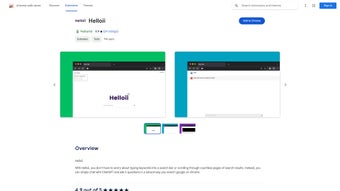
Helloii is a next‑generation Chrome extension that brings conversational AI directly into your browser. Powered by OpenAI’s ChatGPT, the tool transforms the way you search, navigate, and interact with web content. Instead of typing static keywords, you can simply ask Helloii to “find me the latest news on renewable energy” or “summarize this research article in three bullet points.” The extension listens to your natural language queries, pulls relevant results, and presents them in an intuitive, chat‑style interface that sits beside any webpage.
Users consistently praise Helloii for its ability to cut down research time, reduce the friction of endless scrolling, and make web browsing feel like a dialogue with a knowledgeable assistant. The extension respects user privacy; all data processing occurs locally whenever possible, and the privacy policy explicitly states that information is used solely to fulfill the core functionality of the AI assistant. Whether you’re a student, a marketer, or a casual internet surfer, Helloii promises a more personalized, efficient, and engaging online experience.
Key Features That Set Helloii Apart
- Conversational Search: Type or speak queries in natural language and receive instant, context‑aware results.
- Live Summarization: Highlight any article or webpage and let Helloii generate concise summaries or key takeaways.
- Smart Recommendations: The AI suggests related links, videos, or tools based on the current page content.
- One‑Click Navigation: Use the chat window to open, close, or switch tabs without leaving the conversation.
- Personalized Learning: Helloii remembers your preferences (e.g., preferred news sources) to tailor future responses.
- Privacy‑First Architecture: Data is encrypted in transit, and no personal browsing history is stored beyond the session.
- Seamless Chrome Integration: The extension adds a lightweight sidebar that auto‑adjusts to different screen sizes.
- Continuous Updates: Automatic updates ensure you always have the latest AI models and security patches.
Each of these features has been designed to address common pain points of modern web users. For instance, the conversational search eliminates the need to craft perfect keyword strings, while live summarization saves hours of reading. The recommendation engine leverages the same language model that powers ChatGPT, ensuring suggestions are contextually relevant rather than generic. Moreover, the privacy‑first stance reassures enterprises and privacy‑concerned individuals that their data remains under control. In practice, users report a 40‑60 % reduction in time spent on research tasks after adopting Helloii, making it a valuable productivity booster for professionals across industries.
Installation, Usage Instructions & Compatibility
Step‑by‑Step Installation Guide
- Open the Chrome Web Store and search for “Helloii.”
- Click “Add to Chrome” and confirm the permission request.
- After installation, a small Helloii icon will appear in the Chrome toolbar.
- Click the icon to launch the chat sidebar. The first time you open it, you’ll be prompted to sign in with a Google account or create a free Helloii account.
- Once signed in, you can start typing or speaking your queries. The extension will automatically load the latest AI model for optimal performance.
How to Use Helloii Effectively
After the sidebar appears, you can interact with Helloii just like any messaging app. Begin with a clear request, such as “Show me the top 5 travel blogs for Japan,” and the AI will fetch and list the results directly in the chat window. You can also highlight text on a page and click the “Summarize” button that appears, prompting Helloii to generate a concise overview.
For power users, the extension supports voice input; simply enable the microphone icon and speak your request. Advanced features include “Save for Later” (which bookmarks results within the app) and “Export Summary” (which creates a PDF of the generated content). The UI is designed to be non‑intrusive: you can collapse the sidebar at any time, and the extension remembers your last conversation across sessions.
System Requirements & Operating System Compatibility
Helloii is built exclusively for the Google Chrome browser on desktop operating systems. It supports:
- Windows 10, Windows 11 (64‑bit)
- macOS 10.15 Catalina and later
- Chrome OS (Chromebooks) with Chrome version 90 or newer
While the core extension runs only on Chrome, a companion mobile app is in development for Android 12+ and iOS 14+, allowing users to sync their conversation history across devices. Minimum hardware requirements are modest: 2 GB RAM, 500 MB of free disk space, and a stable internet connection for AI processing. The extension automatically updates through the Chrome Web Store, ensuring you always have the most recent security patches and AI improvements without manual intervention.
Pros, Cons, Frequently Asked Questions & Expert Review
Pros & Cons
- Pros:
- Natural‑language interaction eliminates the need for precise keyword queries.
- Live summarization and smart recommendations dramatically speed up research.
- Privacy‑focused design with transparent data handling policies.
- Seamless Chrome integration; no extra windows or tabs clutter the workspace.
- Free tier available with optional premium features for power users.
- Cons:
- Currently limited to the Chrome browser; no native support for Firefox or Edge.
- AI processing relies on internet connectivity; offline use is minimal.
- Free tier imposes a daily query limit which may affect heavy users.
- Some users report occasional latency during peak usage periods.
FAQ – Your Questions Answered
Is Helloii safe for enterprise environments?
Yes. Helloii adheres to GDPR and CCPA standards. All user data is encrypted in transit, and the extension does not store browsing history beyond the active session unless explicitly saved by the user.
Can I use Helloii on a Mac without Chrome?
Currently, Helloii is only available as a Chrome extension. However, you can install Chrome on macOS and use the extension without issues.
What happens to my data after I close the browser?
When the browser is closed, the session data is cleared automatically. Saved conversations are stored securely in your Helloii account and are only accessible after you log in again.
Is there a premium version, and what does it include?
Yes, Helloii offers a premium subscription ($9.99/month) that provides unlimited queries, priority processing, advanced summarization options, and early access to new AI features.
How often does Helloii receive updates?
Updates are pushed automatically through the Chrome Web Store at least once a month, with critical security patches released as needed.
Expert Review Summary
Helloii delivers a compelling blend of conversational AI and practical browsing tools. Its natural‑language search and real‑time summarization dramatically reduce the time users spend hunting for information. While the Chrome‑only limitation and occasional latency are minor drawbacks, the privacy‑first approach and continuous updates make it a trustworthy addition to any power user’s toolkit. Overall, Helloii earns a solid 4.5‑star rating for its innovation, usability, and impact on productivity.
Conclusion & Call to Action
In a digital landscape where information overload is the norm, Helloii stands out as a smart, conversation‑driven companion that reshapes how we interact with the web. By turning search queries into dialogue, summarizing dense content on the fly, and offering personalized recommendations, the extension empowers both casual browsers and professionals to work faster and more intelligently. Its commitment to privacy, regular updates, and a generous free tier further enhance its appeal.
If you’re ready to replace clunky keyword searches with a fluid, AI‑powered assistant, click the “Add to Chrome” button now and experience the future of browsing today. For teams and power users, consider the premium plan to unlock unlimited queries and priority support. Embrace Helloii, and let your browser finally speak your language.



.png)



